
Ages ago, i built a php app for processing pdfs made of mupdf. i even made a go at a MacOS version. it was never very good and it broke with MacOS updates. This new complete rewrite now available! enjoy.
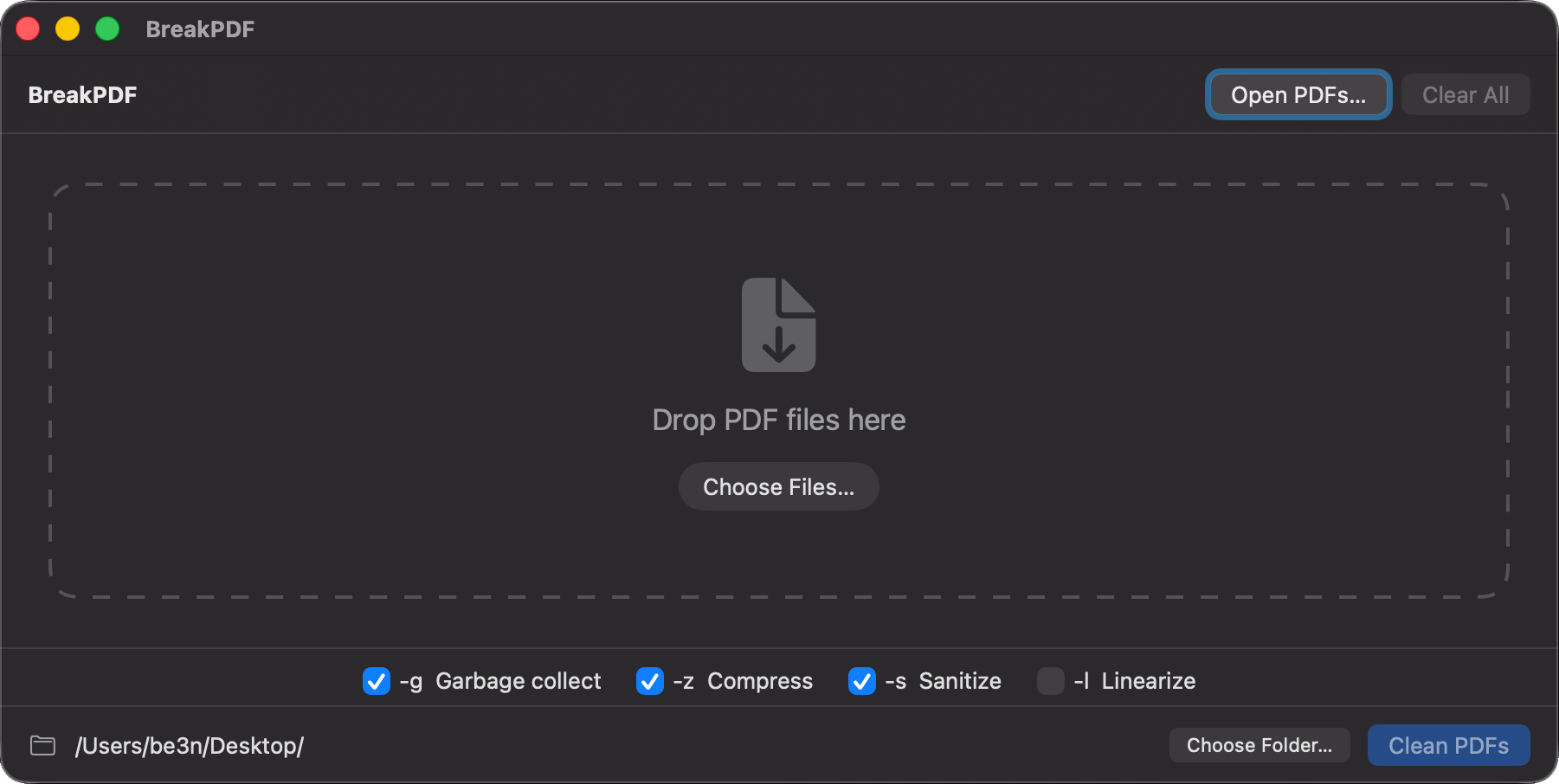
Product page can be found here.
Ages ago, i built a php app for processing pdfs made of mupdf. i even made a go at a MacOS version. it was never very good and it broke with MacOS updates. This new complete rewrite now available! enjoy.
Product page can be found here.

There were so many incredible computers from the 70s, 80s, and 90s! Beautiful computers that might have just been taken out of the box. I got to play with an Amiga 4000 with a Video Toaster! (My dream box from the 90s) I used a Commodore Pet that is older than i am. Some of my favorite stuff is modern boards that work with the vintage computers like micro SD floppy drives and Wi-Fi modems.


I’ve played with Big Sur, but i’ve had serious reservations about running it on one of my primary machines. Apple backpedaled a bit on some of their decisions and i decided i didn’t have enough problems in my life. So tonight i’m jumping in with both feet to see how it goes and what breaks. This may turn out to be a huge mistake. We’ll soon see.

Not off to a great start so far. Upgrades beget upgrades. After a few rounds of up updating my 3rd party software my system is humming even better than before. Finder is still clunky and has a tendency to hang in the most annoying ways, but they’ve added a few new tricks and an updated look. Am i the only one who misses the brushed metal phase of UI?
Users of Antares plugins, or others using Codemeter license manger may be locked out of their licences in Pro-Tools. The licenses show up in the various license managers, but Pro-Tools says NO. This is due to added file system security of Mojave. Add Pro Tools to the “Full Disk Access” list in Security & Privacy System Preference. That should solve the problem. good luck.

This particular ancient server has stood as the glue holding several ancient record keeping systems together. Today marks the last day that it was operating. I supported this computer for almost it’s entire lifespan. This Dell ran consistently for over 10 years with very little trouble. Now your watch is over.
I have been retiring or upgrading unsupported systems all year. it’s to know that all the critical systems are up to date. Let this be yet another warning if you are running Windows XP, Vista, 7, or 2008 Server (or anything earlier), you should upgrade immediately if you are online in any capacity. Same goes for macs older then 10.13 (High Sierra). Seriously, don’t let it become a problem.

Well, my day was canceled and my phone needs a rebuild, so it’s maintenance day! finally getting to some much needed upgrades That i have been putting off. please excuse the dust and potential outages.

A long time in the works, this is the first completely open source jailbreak to be released for an almost current version of iOS (11-12.1.2). This is an interesting jailbreak. It is semi-tethered, but unlike previous jailbreaks, this can at least be untethered from the device itself. Using Cydia Impactor, you can side load the unc0ver app and install the jailbreak directly from the app. it also allow the easy rejailbreak upon reboot or battery drain. Great work all around despite the remaining bugs and instability (it is still beta. Huge thanks to the efforts of @pwn20wnd and @sbingner). To be honest, there are very few tweaks and apps that are ready for iOS 12, but i am excited to see the tradition of jailbreaking continue. I have cydia again! For the first tine since I closed down my own cydia repo. C’mon developers, do you thing!


UPDATE: This problem was resolved in b38.
 I rebuilt my Mac Pro software completely and it appears to have
 resolved the idle hanging problem. It is alway an annoying amount of work getting everything up and running again. It’s nice to have everything fresh and clean and worth it to finally have a stable desktop. The most frustrating part of this kind of solution is that nothing is learned. How? Why? No answers, but at least an end to the frustration!
UPDATE! – Nothing is resolved! it just took over 48 hours for the problem to return. ?
Silver lining was my brief use of screensavers and discovering John Coats work to bring the beautiful Aerial flyovers from the Apple TV to all macs. Looks amazing on 3 screens!
Update! – It’s finally fixed!
 I upgraded my Mac Pro to High Sierra. For the most part it was seamless. The installer automatically migrated the HFS+ file system to AFPS and everything appeared to be working great. As it turns out. . . I have a new intermittent problem that causes the computer to become unresponsive while idle.
It presents primarily as a failure to wake from sleep (backlit black screens instead). Display sleep is actually all that is required to present and of course it is not every time. It is often enough for me to return to the 90s habit of shutting down my computer after I finish using it lest I cause irreparable harm to my mounted file systems. Here are some things i have discovered while trying to resolve. Sometimes i can access the computer remotely, other times not, never graphically. Sometimes the system hangs as soon as it goes idle, sometimes it continues to operate. Sometimes it restarts from “sudo reboot” from an ssh session, other times it just hangs completely when i try. The console logs are useless. Nothing at all before the reboot. When unresponsive, there is nothing to do but hold the power button.
The difficulty i am having at discovering the core of the issue combined with the fact that my remote backup has gotten stale is driving me crazy. There seems to be people complaining about this on every Apple forum there is. I am not alone:
https://discussions.apple.com/thread/8085995
https://apple.stackexchange.com/questions/300199/mac-pro-on-high-sierra-doesnt-wake-up
https://www.reddit.com/r/MacOS/comments/73094p/mac_pro_2013_high_sierra_wont_wake…
https://forums.macrumors.com/threads/high-sierra-causing-blank-screen-macpro.2073218/
UPDATE: It’s finally fixed!
 Ours goes to 11. all the cores (CPUs and GPUs). now i can feel productive!